

MobileAtlasCreator1.9.13 使用了Google earth+地名的kml,做出来的离线地图有偏差,怎么纠偏啊
将离线地图放到oruxmaps 里面,看到会有100-200米的偏差,但是oruxmaps的在线地图就没有偏差。
以下是Google earth+地名的kml。
<?xml version="1.0" encoding="UTF-8" standalone="yes"?>
<customMultiLayerMapSource>
<name>Google earth</name>
<tileType>PNG</tileType>
<layers>
<customMapSource>
<name>Google earth</name>
<minZoom>0</minZoom>
<maxZoom>20</maxZoom>
<tileType>PNG</tileType>
<tileUpdate>None</tileUpdate>
<url>http://mt0.google.com/vt/lyrs=s@124&hl=zh-CN&gl=CN&src=app&x={$x}&s=&y={$y}&z={$z}&s=Galileo</url>
<backgroundColor>#000000</backgroundColor>
</customMapSource>
<customMapSource>
<name>Google dimingtu</name>
<minZoom>0</minZoom>
<maxZoom>20</maxZoom>
<tileType>PNG</tileType>
<tileUpdate>None</tileUpdate>
</customMapSource>
</layers>
</customMultiLayerMapSource>
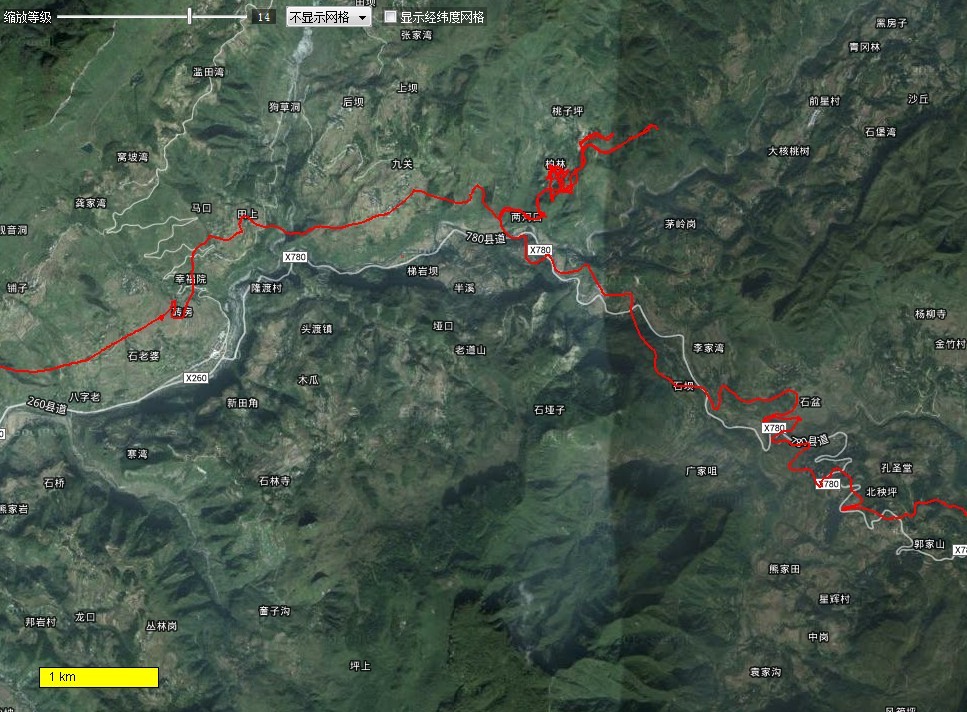
该图为gps轨迹在MobileAtlasCreator 离线地图上显示。

该图为gps轨迹在Google earth上显示
找到了一个 无偏差的卫星地图。
<?xml version="1.0" encoding="UTF-8" standalone="yes"?>
<customMapSource>
<name>Google Hybird Map HD 无偏差</name>
<minZoom>0</minZoom>
<maxZoom>20</maxZoom>
<tileType>PNG</tileType>
<tileUpdate>None</tileUpdate>
<url><![CDATA[http://mt{$serverpart}.google.com/vt/lyrs=s@125,h@209475578&hl=x-local&src=app&x={$x}&y={$y}&z={$z}&s=Galileo&scale=2]]></url>
<serverParts>0 1 2 3</serverParts>
</customMapSource>。
没有找到无偏差的 地图名和道路网。 还请高人解答。
不一定非的都要无偏移的。你可以用有便宜的卫星图加有偏移的道路网和地面图,然后再自己纠偏就可以了。现在大家不都是这样干的嘛。
我不是高手。
可用谷歌无偏差卫星地图+天地图地名解决。
但路径问题不好解决。
用天地图的路网+无偏移的GE
我后来也是用 天地图地名解决,电脑一直在离线下载中。
使用oruxmaps进行校准很麻烦,每次重启后需要再次校准。如果在不明显的地标时,校准就显得有些困难。
【【 OZI/Oruxmaps地图线性偏移程序】】完美升级1.2.1 31
http://www.doyouhike.net/forum/comm_nav/950239,0,0,1.html
<?xml version="1.0" encoding="UTF-8" standalone="yes"?>
<customMultiLayerMapSource>
<name>谷歌卫星地图(天地图)</name>
<tileType>png</tileType>
<layers>
<customMapSource>
<name>谷歌卫星地图</name>
<minZoom>0</minZoom>
<maxZoom>20</maxZoom>
<tileType>PNG</tileType>
<tileUpdate>None</tileUpdate>
<url><![CDATA[http://khm{$serverpart}.google.com.hk/kh/v=145&hl=zh-CN&gl=CN&src=app&x={$x}&y={$y}&z={$z}&s=Galileo]]></url>
<serverParts>0 1 2 3</serverParts>
</customMapSource>
<customMapSource>
<name>天地图道路图</name>
<minZoom>3</minZoom>
<maxZoom>18</maxZoom>
<tileType>PNG</tileType>
<ignoreErrors>true</ignoreErrors>
<url><![CDATA[http://t{$serverpart}.tianditu.cn/DataServer?T=cia_w&X={$x}&Y={$y}&L={$z}]]></url>
<serverParts>0 1 2 3 5 6 7</serverParts>
<backgroundColor>#00000000</backgroundColor>
</customMapSource>
</layers>
</customMultiLayerMapSource>